


Smart, Safe, and Effective Methods Every Smartphone User Should Know
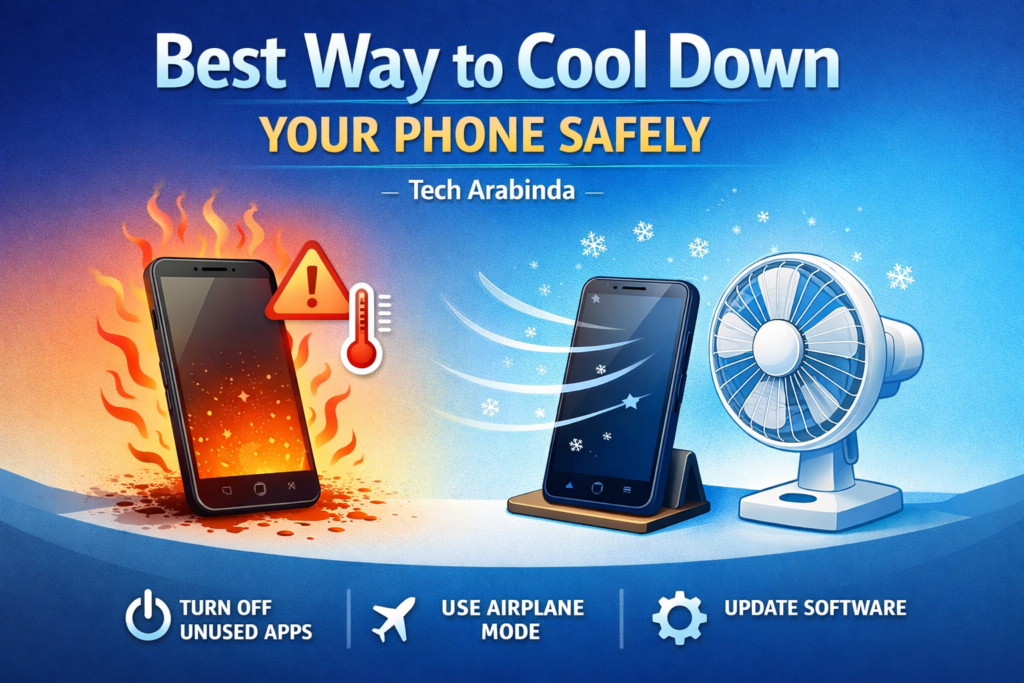
Smartphones have become an essential part of our daily lives. From gaming and video streaming to navigation and video calls, our phones are constantly working. But with heavy usage comes one common problem—overheating. If your phone often feels warm or even hot, you’re not alone. Many users ask the same question: what is the best way to cool down my phone?
What mistakes users often make, and the safest, most effective ways to reduce phone temperature without damaging internal components.
Why Do Smartphones Overheat?
Before fixing the issue, it’s important to understand the root causes of phone heating.
1. Heavy Usage
Playing graphic-intensive games, recording 4K videos, or using navigation apps for long periods puts pressure on the processor and GPU, which naturally generates heat.
2. Poor Network Signal
When your phone struggles to maintain a network connection, it constantly searches for signals. This increases power consumption and causes excess warmth.
3. Charging While Using the Phone
Using your phone while charging—especially for gaming or video calls—is one of the fastest ways to raise internal temperature.
4. Environmental Factors
Direct sunlight, hot weather, or leaving your phone inside a parked car can quickly push temperatures beyond safe limits.
5. Software Issues
Background apps, bugs, outdated software, or malware can force the processor to work harder than necessary.
Signs That Your Phone Is Overheating
Your phone usually gives warnings before serious damage occurs. Watch out for these signs:
- The device feels uncomfortably hot to touch
- Sudden battery drain
- Screen dimming automatically
- Apps lagging or crashing
- Phone shutting down unexpectedly
- Temperature warning messages
Ignoring these signs repeatedly can reduce battery health and shorten the phone’s lifespan.
What Is the Best Way to Cool Down My Phone Safely?
Let’s talk about safe and effective methods that actually work.
1. Stop Using the Phone Immediately
The simplest and fastest solution is to give your phone a break.
This allows internal components to cool down naturally without stress.
2. Remove the Phone Case
Many protective cases—especially thick silicone or leather ones—trap heat.
- Take off the case when the phone feels warm
- Allow airflow around the back panel
You’ll notice temperature reduction much faster without the case.
3. Move to a Cooler Environment
Temperature around you matters a lot.
- Step indoors if you’re outside
- Avoid direct sunlight
- Never place the phone near heaters or hot surfaces
A cooler room helps dissipate heat naturally.
4. Turn On Airplane Mode
If your phone is overheating due to poor signal:
- Enable Airplane Mode
- This disables mobile data, Wi-Fi, and Bluetooth
It significantly reduces power usage and cools the phone quickly.
5. Close Background Apps Properly
Apps running silently in the background can overwork the processor.
- Clear recent apps
- Check battery usage settings
- Force stop unused or suspicious apps
This reduces unnecessary CPU load.
6. Avoid Charging During High Temperature
Charging already produces heat. Combining it with usage is risky.
- Stop charging until the phone cools down
- Use slow or standard charging instead of fast charging
- Avoid power banks that generate extra heat
Let the phone return to normal temperature first.
7. Lower Screen Brightness and Refresh Rate
The display consumes a lot of power.
- Reduce brightness manually
- Disable adaptive refresh rate if available
- Use dark mode where possible
This not only cools the phone but also saves battery.
8. Update Software Regularly
Manufacturers release updates to fix bugs and improve thermal performance.
- Check for system updates
- Update apps from trusted sources
- Remove apps you no longer use
Optimized software keeps hardware stress under control.
9. Use Battery Saver or Performance Mode Wisely
Battery saver modes reduce background activity and CPU performance.
- Turn it on during heavy heating
- Avoid performance or gaming boost modes in hot weather
Balanced usage keeps temperature stable.
10. Clean Charging Port and Vent Areas
Dust buildup can trap heat.
- Gently clean the charging port
- Keep speakers and vents clear
- Avoid using the phone in dusty environments
Proper airflow helps in heat dissipation.
Things You Should NEVER Do to Cool Down Your Phone
Many users make mistakes that can permanently damage their devices.
❌ Do Not Put Your Phone in the Fridge
Sudden temperature change causes moisture condensation inside the phone.
❌ Do Not Use Ice Packs
Direct cold contact can crack internal components.
❌ Do Not Place Under Running Water
Even water-resistant phones can be damaged.
❌ Do Not Use Third-Party Cooling Apps
Most cooling apps just close background tasks and show fake temperature readings.
Does Phone Overheating Damage the Battery?
Yes, prolonged overheating is one of the biggest enemies of battery health.
- Reduces battery capacity
- Causes faster aging
- Leads to swelling in extreme cases
Keeping your phone cool helps maintain long-term battery performance.
How to Prevent Phone Heating in the Future?
Prevention is always better than cure.
- Avoid gaming while charging
- Use original or certified chargers
- Keep storage free and organized
- Limit multitasking
- Restart your phone occasionally
These small habits make a big difference.

When Should You Worry About Overheating?
Occasional warmth is normal. But seek help if:
- Phone heats up during light usage
- Temperature rises even when idle
- Device shuts down repeatedly
- Battery drains abnormally fast
In such cases, visit an authorized service center.
Final Thoughts
The answer is simple: reduce load, avoid heat sources, and let your phone rest. Smartphones are powerful but sensitive devices. Treating them carefully ensures better performance, longer battery life, and overall reliability.