

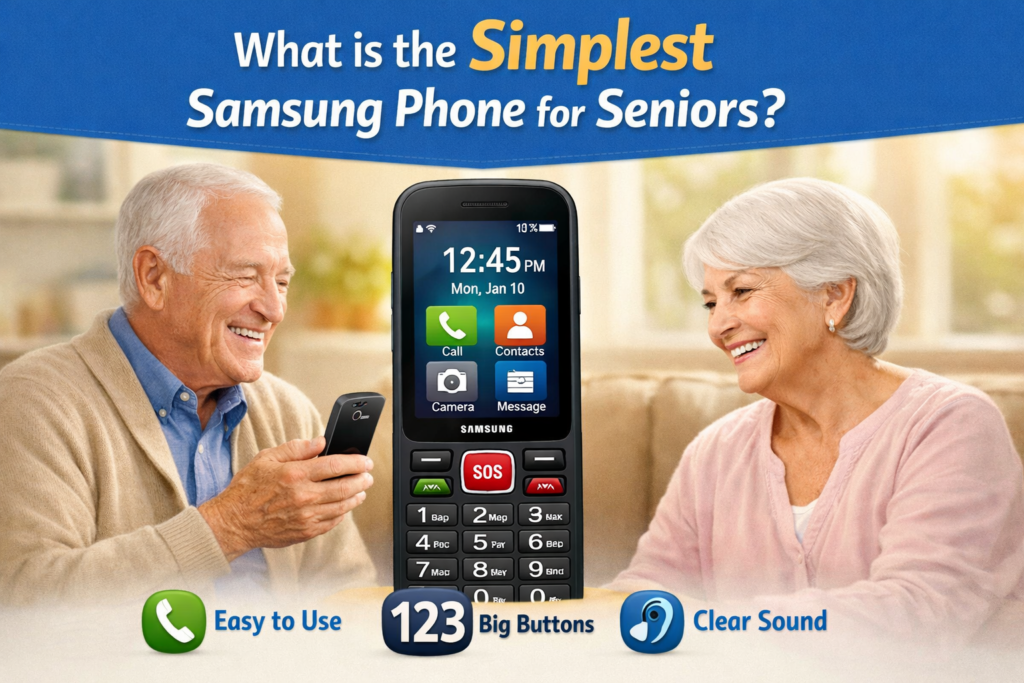

In today’s fast-paced technological world, smartphones have become a necessity. However, not every device suits everyone, especially seniors who may not be comfortable with complex interfaces and numerous features. For older adults, a simple, reliable, and user-friendly phone is essential. Samsung, being a global leader in the mobile industry, offers options that cater to the needs of seniors, balancing simplicity, durability, and functionality.
The best Samsung phones for seniors, highlighting key features, usability, and reasons why they are ideal for older adults. Whether for calling, texting, or basic internet use, these devices provide an intuitive experience without overwhelming features.
Why Seniors Need Simple Smartphones?
Many seniors today wish to stay connected with family and friends, use social media occasionally, or enjoy entertainment like music and video streaming. However, the rapid pace of smartphone innovation can be intimidating. High-end phones often come with:
- Complex menus
- Numerous apps
- Frequent software updates
- Expensive repairs
For seniors, a simpler interface is preferred to reduce confusion and frustration. The ideal device should focus on:
- Ease of use – Large buttons, clear menus, and straightforward navigation.
- Reliability – Consistent performance without frequent crashes.
- Accessibility features – Options for hearing and vision-impaired users.
- Battery life – Long-lasting power to avoid frequent charging.
- Affordability – Reasonable pricing without unnecessary features.
Samsung recognizes these needs and has developed smartphones that meet the criteria of simplicity, accessibility, and comfort for older adults.
Key Features Seniors Should Look for in a Samsung Phone
When choosing the simplest Samsung phone for seniors, it’s important to consider certain features that can make everyday use much easier:
1. Large Display and Clear Interface
A larger screen helps seniors read text and navigate menus comfortably. Samsung phones for seniors typically offer displays with bright, high-contrast screens, making it easier to see content clearly.
2. Big Buttons and Touch Accessibility
Phones with larger on-screen buttons or physical keypad alternatives allow older users to type numbers, send messages, and access apps without frustration.
3. Simplified User Interface
Samsung’s “Easy Mode” is a key feature designed specifically for seniors. It simplifies the home screen, enlarges icons, and reduces clutter, presenting only essential functions.
4. Loud and Clear Audio
Good speakers and adjustable sound settings ensure seniors can hear calls and notifications properly. Some models also offer hearing aid compatibility.
5. Long Battery Life
Phones with long-lasting batteries reduce the need for constant charging. This is especially helpful for seniors who may forget to charge their devices regularly.
6. Emergency and Health Features
Many Samsung phones for seniors include emergency call functions, SOS messages, and even health monitoring apps, allowing family members to stay informed about their loved ones’ well-being.
Samsung Phones Recommended for Seniors
Samsung offers several devices that strike a balance between simplicity and functionality. Below are the top options:
1. Samsung Galaxy A03 Core
The Galaxy A03 Core is one of the simplest options for older adults. It combines basic smartphone features with an intuitive interface, making it ideal for beginners.
Key Features:
- 6.5-inch display for clear visibility
- Easy Mode for simplified home screen
- Long battery life up to 15 hours of continuous usage
- Affordable price ideal for budget-conscious users
This phone is perfect for seniors who primarily want to call, message, and occasionally browse the internet. Its simplicity ensures minimal confusion while providing essential smartphone functionalities.
2. Samsung Galaxy A13
The Samsung Galaxy A13 provides a slightly more advanced experience while keeping usability simple for seniors. Its large screen and enhanced camera features are bonus points for those who like to capture memories without dealing with complex settings.
Key Features:
- 6.5-inch Infinity-V display for better readability
- Quad-camera system (easy to use with pre-set modes)
- Long battery life with fast charging support
- One UI Core interface optimized for easy navigation
The Galaxy A13 combines practical features and simplicity, making it an excellent choice for seniors wanting a little more functionality without overwhelming complexity.
3. Samsung Galaxy XCover 6 Pro
For seniors who need a durable and rugged phone, the Samsung Galaxy XCover 6 Pro stands out. While it offers advanced features, its straightforward interface ensures ease of use.
Key Features:
- Rugged design with military-grade durability
- 5.3-inch display with bright, easy-to-read visuals
- Long-lasting battery suitable for outdoor use
- Physical buttons for easier navigation
This model is perfect for seniors who may be physically active or live in areas where the phone may be exposed to tough conditions.
Samsung Easy Mode: A Game-Changer for Seniors
Samsung’s Easy Mode is one of the most appreciated features for older users. It simplifies the smartphone experience by:
- Enlarging app icons and text
- Displaying only the most frequently used apps
- Reducing unnecessary notifications
- Providing a simplified home screen
Enabling Easy Mode transforms even a standard Samsung smartphone into a senior-friendly device without compromising functionality. It ensures that seniors can enjoy the benefits of a modern smartphone without the learning curve.
Accessibility Features for Seniors
Samsung smartphones include numerous accessibility features that make them suitable for seniors:
- Screen Reader (Voice Assistant) – Reads on-screen content aloud.
- Magnifier Window – Enlarges portions of the screen for better visibility.
- High-Contrast Fonts and Themes – Helps users with vision difficulties.
- Hearing Aid Support – Compatible with many modern hearing aids.
- Emergency SOS – Instantly contacts designated numbers during emergencies.
These features ensure seniors stay connected, safe, and independent.
Tips for Choosing the Right Samsung Phone for Seniors
Selecting the right device involves more than just picking a simple model. Consider the following tips:
1. Understand Usage Needs
Determine whether the senior will mostly use the phone for calls, messaging, or occasional internet browsing. This helps choose between a basic model like Galaxy A03 Core or a slightly advanced one like Galaxy A13.
2. Test Screen Size and Buttons
Large screens and clear buttons are crucial. If possible, let the senior try different models in a store to see which feels comfortable.
3. Check Battery Life
Long battery life is vital to avoid frequent charging. Phones with 4000 mAh or higher capacity are generally sufficient.
4. Consider Durability
If the phone may be prone to drops or outdoor use, a rugged model like XCover 6 Pro is ideal.
5. Look for Easy Setup Options
Phones that support Samsung Smart Switch and simple setup processes make it easier for seniors to migrate from old devices without technical assistance.
Why Samsung Stands Out for Senior-Friendly Devices?
Samsung combines innovation with usability. Unlike other brands that focus solely on high-end features, Samsung designs devices catering to every demographic. For seniors, Samsung’s advantages include:
- Intuitive interfaces
- Affordable entry-level models
- Extensive after-sales service
- Strong community support and tutorials
- Customizable accessibility features
These aspects make Samsung a preferred choice for older adults worldwide.

1: Can seniors use Samsung phones without internet experience? Yes. Samsung phones are beginner-friendly, and features like Easy Mode ensure seniors can use the device without prior experience.
2: Are Samsung phones compatible with hearing aids? Most modern Samsung phones support hearing aids and provide enhanced audio options for better clarity.
3: Can seniors use video calling easily? Absolutely. Apps like Google Duo, WhatsApp, and Zoom are pre-installed or easy to install. Easy Mode makes navigation simple.
4: How affordable are Samsung phones for seniors? Models like Galaxy A03 Core and Galaxy A13 are budget-friendly while offering excellent performance.
5: Is tech support easily available for seniors? Samsung provides nationwide service centers, tutorials, and customer support, making it easy for seniors to get help when needed.
Final Thoughts
Choosing the simplest Samsung phone for seniors is about balancing usability, affordability, and essential features. Devices like the Samsung Galaxy A03 Core, Galaxy A13, and XCover 6 Pro stand out as excellent choices, offering clear displays, long battery life, and user-friendly interfaces.
Enabling features such as Easy Mode and leveraging Samsung’s accessibility options ensures seniors remain connected, independent, and confident in using technology. Whether for calls, messages, or occasional internet browsing, Samsung provides options that make life simpler without overwhelming older users.