

Introduction:
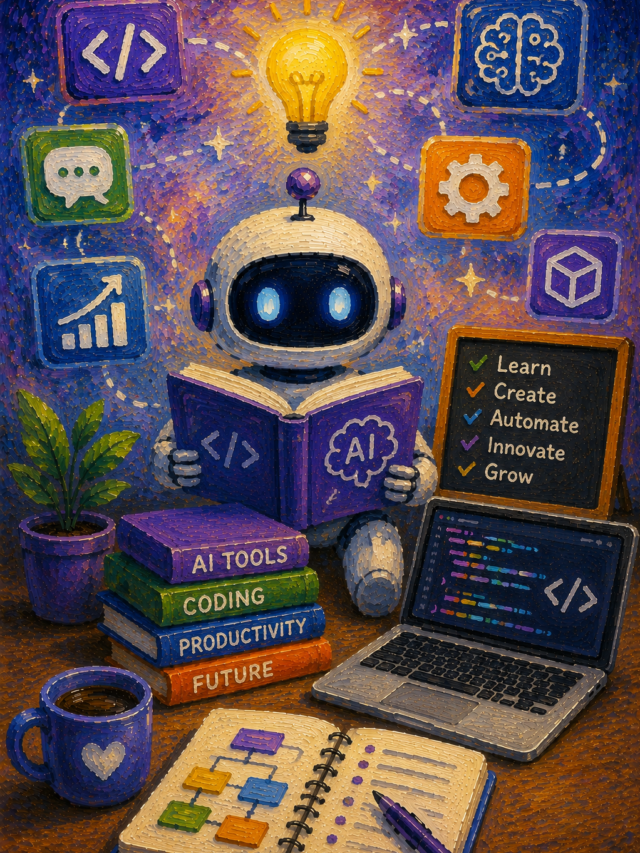
Artificial Intelligence (AI) is changing the way college students learn, complete assignments, prepare for exams, and manage daily academic tasks.
Instead of spending hours searching for information or organizing notes, students can now use AI tools to study faster and work more efficiently.
Today, many AI-powered platforms help with writing, research, note-taking, language learning, presentations, coding, and time management.
These tools do not replace learning. Instead, they help students understand difficult topics, improve productivity, and stay organized throughout the semester.
Why Should College Students Use AI Tools?
Modern college life is busy. Students attend lectures, complete projects, prepare presentations, and study for examinations at the same time.
AI tools can reduce unnecessary work and allow students to focus on understanding concepts instead of repeating routine tasks.
Some important benefits include:
- Save valuable study time.
- Organize notes more efficiently.
- Improve writing quality.
- Understand difficult subjects quickly.
- Create presentations in less time.
- Learn programming with better explanations.
- Increase productivity every day.
The key is using AI responsibly. Always review AI-generated information before submitting assignments and follow your college’s academic honesty guidelines.
1. ChatGPT – Your Everyday Study Assistant
ChatGPT has become one of the most popular AI tools among college students. It can answer questions, explain lessons, summarize long articles, generate study notes, and even help students practice interview questions.
Instead of simply giving an answer, ChatGPT can explain ideas step by step. This makes learning much easier, especially when studying complex subjects such as mathematics, computer science, economics, or biology.
Best Features
- Explains difficult topics in simple language.
- Summarizes lengthy chapters.
- Generates practice questions.
- Helps improve essays and assignments.
- Assists with coding and debugging.
- Supports many languages.
- Available on desktop and mobile devices.
Best For
- Daily homework
- Exam preparation
- Research guidance
- Writing improvement
- Coding practice
Advantages
- Easy to use.
- Fast responses.
- Supports many subjects.
- Helpful for beginners and advanced learners.
Things to Remember
AI responses should always be verified with textbooks, lecture notes, or trusted academic sources before submitting coursework.
2. Grammarly – Improve Every Assignment
Writing is an important part of college education. Essays, reports, research papers, and emails all require clear grammar and professional language. Grammarly helps students write with greater confidence.
The tool checks grammar, spelling, punctuation, sentence clarity, and writing style in real time. It also suggests ways to make sentences shorter, clearer, and easier to read.
Students who are not native English speakers often find Grammarly especially useful because it improves both accuracy and readability.
Best Features
- Grammar correction.
- Spelling suggestions.
- Tone detection.
- Vocabulary improvement.
- Sentence rewriting.
- Plagiarism checking in selected plans.
Best For
- Essays
- Assignments
- Reports
- Scholarship applications
- Professional emails
Advantages
- Improves writing quality.
- Saves editing time.
- Easy browser extension.
- Works with many writing platforms.
Things to Remember
Grammarly improves writing but cannot replace your own ideas or critical thinking. Always review suggested changes before accepting them.
3. Notion AI – Organize Your College Life
Many students struggle with managing notes, assignments, deadlines, and projects. Notion AI combines note-taking with artificial intelligence to help students stay organized.
Instead of maintaining several notebooks or documents, students can keep everything in one workspace.
The AI can summarize notes, generate study plans, create meeting summaries, organize project ideas, and rewrite content into a cleaner format.
Best Features
- Smart note organization.
- AI summaries.
- Task management.
- Study planner.
- Project tracking.
- Document creation.
Best For
- Semester planning.
- Group projects.
- Daily study schedules.
- Class notes.
- Personal productivity.
Advantages
- Clean interface.
- Easy collaboration.
- Saves study materials in one place.
- Works across multiple devices.
Things to Remember
A well-organized workspace only helps if students update it regularly.
4. Perplexity AI – Smarter Academic Research
Searching the internet can take a long time, especially when students need reliable information from multiple sources.
Perplexity AI makes research easier by providing direct answers along with references.
Instead of opening dozens of websites, students can quickly understand a topic and then explore the cited sources for deeper learning.
This makes it useful for research papers, presentations, and project work.
Best Features
- Fast research assistance.
- Source-based answers.
- Follow-up questions.
- Simple explanations.
- Current information.
- Easy-to-read summaries.
Best For
- Research papers.
- Classroom projects.
- Literature reviews.
- Presentation preparation.
Advantages
- Saves research time.
- Provides references.
- Easy search experience.
- Good for academic learning.
6. Microsoft Copilot – A Smart Assistant for Study and Productivity
Microsoft Copilot is an AI-powered assistant that works with popular Microsoft apps such as Word, Excel, PowerPoint, Outlook, and OneNote.
Many college students already use these applications, so adding AI support can make everyday tasks much easier.
Copilot helps students write reports, summarize long documents, organize spreadsheets, create presentation slides, and draft professional emails.
Instead of starting every project from a blank page, students can use Copilot to generate a strong first draft and then edit it with their own ideas.
Best Features
- Creates document drafts quickly.
- Summarizes long files.
- Generates PowerPoint presentations.
- Helps analyze Excel data.
- Writes professional emails.
- Works inside Microsoft 365 apps.
Best For
- College assignments
- Research reports
- Presentation preparation
- Data analysis
- Academic writing
Advantages
- Saves valuable time.
- Easy to use with Microsoft Office.
- Improves productivity.
- Suitable for both individual and group projects.
Things to Remember
Always review AI-generated content before submitting assignments. Adding your own research and personal understanding will make your work more accurate and original.
7. Google Gemini – Learn Faster with AI
Google Gemini is another powerful AI tool that helps students search for information, understand concepts, brainstorm ideas, and improve writing.
Since many students already use Google services every day, Gemini fits naturally into their study routine.
One of its biggest strengths is explaining difficult topics in simple language. Students can ask follow-up questions, request examples, or receive step-by-step explanations until they fully understand a subject.
Gemini is useful for science, history, business studies, computer science, literature, and many other academic fields.
Best Features
- Simple explanations.
- Fast information search.
- Writing assistance.
- Brainstorming ideas.
- Supports multiple languages.
- Helps solve academic questions.
Best For
- Homework
- Project research
- Study notes
- Essay planning
- General learning
Advantages
- User-friendly interface.
- Quick responses.
- Helpful for everyday study.
- Supports different learning styles.
Things to Remember
AI should be used as a learning partner, not as a replacement for reading textbooks or attending lectures.
8. Otter.ai – Turn Lectures into Organized Notes
Keeping up with fast classroom lectures can be difficult. Students often miss important points while trying to write everything down.
Otter.ai helps solve this problem by converting spoken words into written notes.
During lectures, seminars, or group discussions, the tool records conversations and creates searchable transcripts. Students can later review important topics without worrying about missing key information.
This is especially helpful for long classes, online learning sessions, and interview recordings.
Best Features
- Speech-to-text transcription.
- Automatic note creation.
- Searchable transcripts.
- Speaker identification.
- Meeting summaries.
- Cloud storage.
Best For
- Classroom lectures
- Online classes
- Group discussions
- Research interviews
- Revision sessions
Advantages
- Saves note-taking time.
- Improves lecture review.
- Easy to organize recordings.
- Helpful during exam preparation.
Things to Remember
Always ask for permission before recording lectures if your college or instructor requires it.
9. Wolfram Alpha – Solve Complex Problems with Clear Steps
Many students find mathematics and science subjects challenging. Wolfram Alpha is designed to solve complex calculations while explaining the process behind the answer.
Instead of giving only the final result, it often provides formulas, graphs, and detailed steps that help students understand how the solution is reached.
It supports subjects such as mathematics, statistics, chemistry, engineering, economics, and physics.
Best Features
- Step-by-step solutions.
- Mathematical calculations.
- Scientific problem solving.
- Graph generation.
- Formula explanations.
- Data analysis.
Best For
- Mathematics
- Physics
- Chemistry
- Engineering
- Statistics
Advantages
- Accurate calculations.
- Excellent learning support.
- Helpful for difficult subjects.
- Builds problem-solving skills.
Things to Remember
Use the explanations to understand the method instead of copying answers directly into assignments.
10. GitHub Copilot – An AI Coding Partner
Students studying computer science, software engineering, or programming can benefit from GitHub Copilot. It works inside popular code editors and suggests code while students are typing.
Instead of searching for basic programming examples online, students receive real-time coding suggestions that speed up software development.
Copilot supports many programming languages, including Python, Java, JavaScript, C++, C#, Go, PHP, Ruby, TypeScript, and more.
It can also explain existing code, recommend improvements, and help identify simple programming mistakes.
Best Features
- AI code completion.
- Programming suggestions.
- Function generation.
- Bug detection support.
- Multiple language support.
- Code explanation.
Best For
- Programming practice
- Software development
- Coding assignments
- Learning new languages
- Debugging projects
Advantages
- Speeds up coding.
- Improves programming skills.
- Reduces repetitive typing.
- Helps beginners learn faster.
Comparison Table: Best AI Tools for College Students
|
AI Tool |
Best For |
Free Version |
Ideal Users |
Free vs Paid AI Tools
Many students wonder whether they should choose a free AI tool or pay for a premium version.
The good news is that most college students can complete everyday academic work using free plans. These versions usually provide enough features for homework, note-taking, research, and simple writing tasks.
Premium plans become useful when students need advanced features, larger usage limits, faster responses, or specialized tools for professional projects.
Free AI Tools Are Great For
- Daily homework
- Quick explanations
- Basic writing
- Study notes
- Presentation creation
- Learning new concepts
Paid AI Tools Are Better For
- Large research projects
- Professional writing
- Advanced coding
- Business presentations
- Long conversations with AI
- Extra productivity features
If your budget is limited, start with the free versions and upgrade only when your academic needs increase.
Tips for Using AI Responsibly in College
Artificial Intelligence is designed to support learning, not replace it. Responsible use helps students build knowledge while maintaining academic honesty.
Follow these simple practices whenever you use AI.
Understand Before You Submit
Read every answer carefully. Make sure you understand the information instead of copying it directly into your assignment.
Verify Important Facts
Always compare AI responses with textbooks, class notes, or trusted academic sources before using them in research papers.
Add Your Own Ideas
Teachers value original thinking. Use AI to organize your work, but include your own analysis, opinions, and examples.
Follow College Guidelines
Many colleges have rules about AI-assisted assignments. Check your institution’s policy before submitting AI-supported work.
Protect Your Privacy
Avoid uploading personal information, confidential documents, or sensitive academic data into any AI platform.
Frequently Asked Questions 1. Which AI tool is best for college students?
There is no single answer because every student has different needs. ChatGPT is excellent for learning and homework, Grammarly improves writing, Canva AI creates presentations, and Notion AI helps organize study materials.
2. Are AI tools free for students?
Many popular AI platforms offer free versions with useful features. Some advanced capabilities require a paid subscription, but most students can begin with free plans.
3. Can AI improve academic performance?
AI can improve productivity, organization, and understanding of difficult topics. Success still depends on regular study habits, practice, and critical thinking.
4. Is it safe to use AI for homework?
Yes, when used responsibly. AI should help explain concepts and support learning rather than complete assignments without your own effort.
5. Which AI tool is best for writing essays?
Grammarly helps improve grammar and readability, while ChatGPT assists with brainstorming, outlining, and explaining ideas. Students should always write the final version in their own words.
6. Which AI tool is best for coding students?
GitHub Copilot is one of the best options for programming students because it provides code suggestions, explains functions, and supports many programming languages.
7. Can AI replace teachers?
No. AI is a helpful learning assistant, but teachers provide guidance, experience, feedback, classroom discussion, and personal support that AI cannot replace.

Final Thoughts
Artificial Intelligence has become an important part of modern education, helping students learn more efficiently and manage their academic responsibilities with greater confidence.
Whether you need help understanding complex topics, improving your writing, organizing notes, solving mathematical problems, creating presentations, or practicing programming, there is an AI tool designed to support your learning journey.
The best approach is to choose tools that match your study habits instead of trying to use every available platform.
A combination of ChatGPT for learning, Grammarly for writing, Notion AI for organization, Perplexity AI for research, Canva AI for presentations, and other specialized tools can significantly improve productivity without replacing genuine learning.
Remember that AI works best when it supports your own knowledge, creativity, and critical thinking. Always verify important information, follow your college’s academic guidelines, and use these tools as learning partners rather than shortcuts.
When used wisely, AI can help you save time, stay organized, reduce stress, and achieve better academic results throughout your college life.
As AI technology continues to evolve, students who learn how to use these tools responsibly will be better prepared for both higher education and future careers.
Developing AI skills today is not only useful for completing assignments but also an investment in the digital workplace of tomorrow.